
Add or Remove a Condition
Conditions allow biologists to specify regulatory scenarios under which a particular regulator is dependent on the activity state of another regulator.
Read below to learn how to intuitively express logical statements in Cell Collective.
Add a Condition
- Open the Regulatory Mechanism page of the component you are defining
- Each positive or negative regulator has a Conditions panel, accessible by clicking on

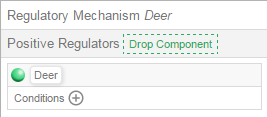
3. Once the Conditions panel is open, the dialogue box “Drop Components Here” will appear
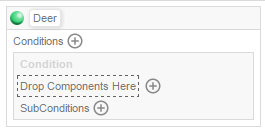
4. From the list of Internal Components or External Components, click and drag on the particular component your positive regulator is dependent on to the “Drop Components Here” dialogue box.
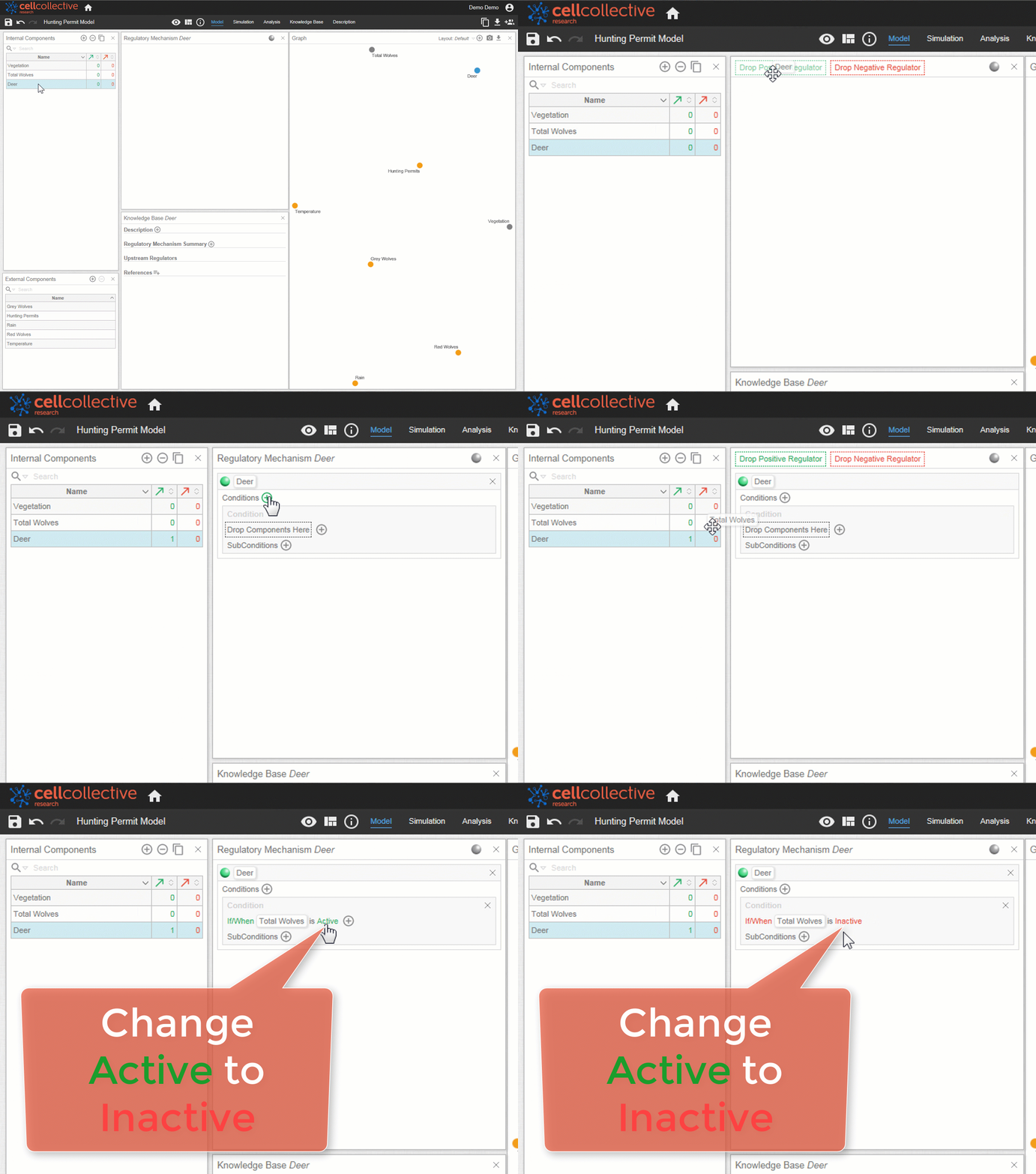
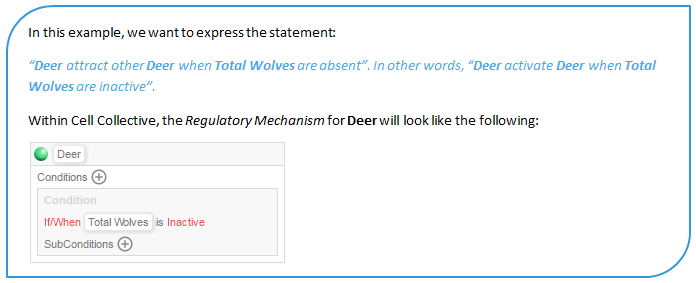
Multiple Images
Multiple Conditions may be placed in series or individually.
In series, all components within the series are either active or inactive
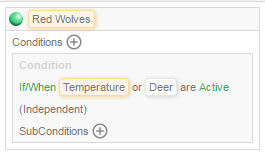
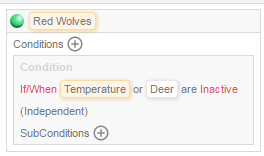
Individually, each component is separately designated if it is active or inactive
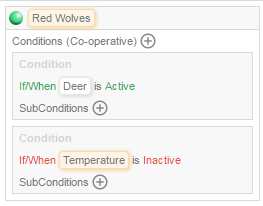
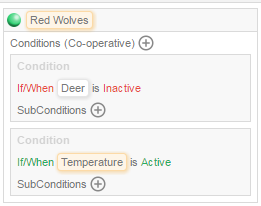
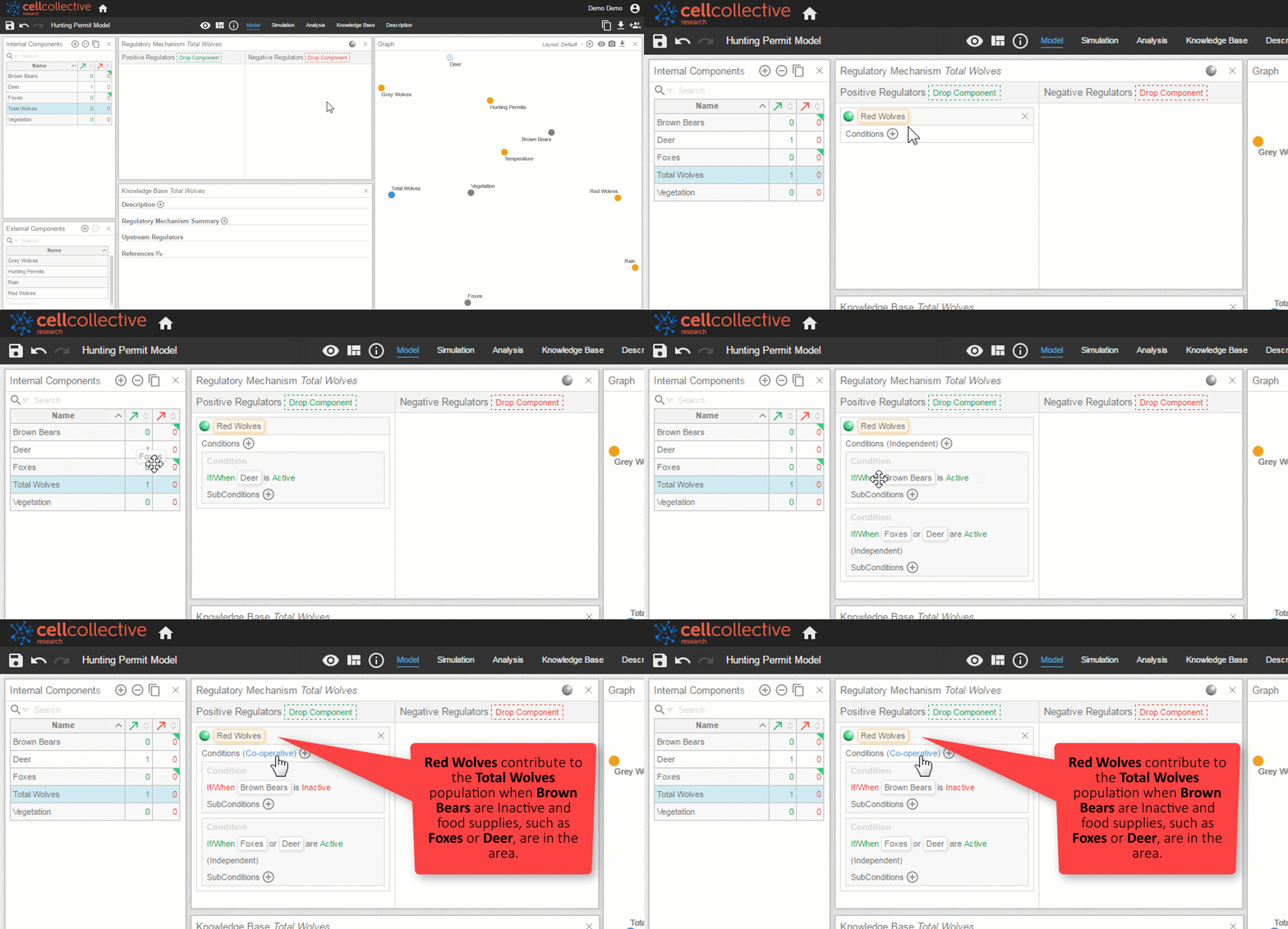
Regardless of which way they are placed (in series or individually), Conditions may be in an Independent or Co-operative relationship.
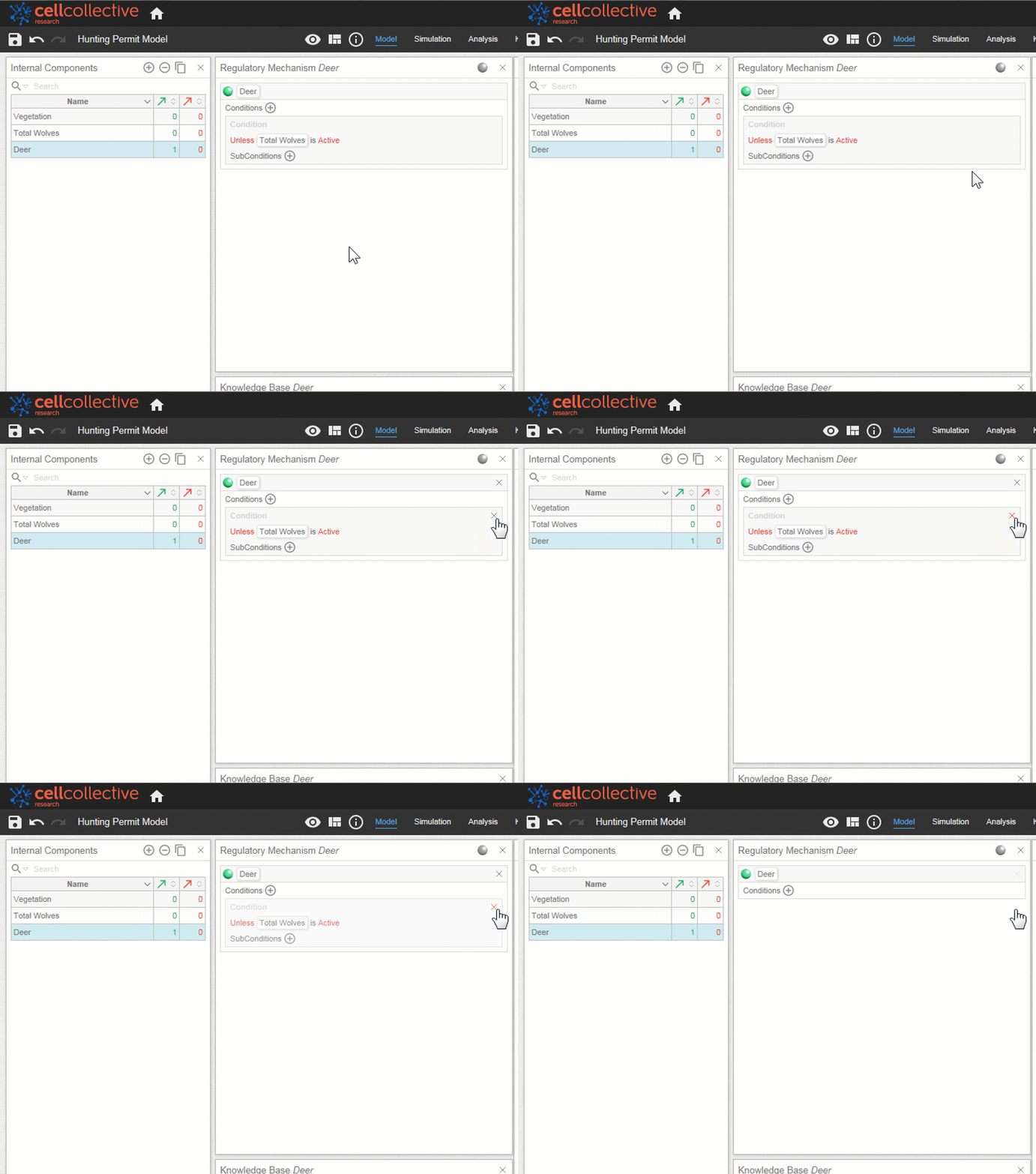
Remove a Condition
To remove a condition, hover over the Conditions panel and click on the x
Related Articles