
Create a New Model
Creating a new model within Cell Collective is quick and simple. From the yeast cell cycle to glucose signaling, this is where it all begins!
Here's how to get started:
- From the Home Screen, click on

- You will then immediately be directed to a newly created Model page
- A default name “New Model 1” will appear; click on this form field to give your model a new name
- Remember to save your new model by clicking on

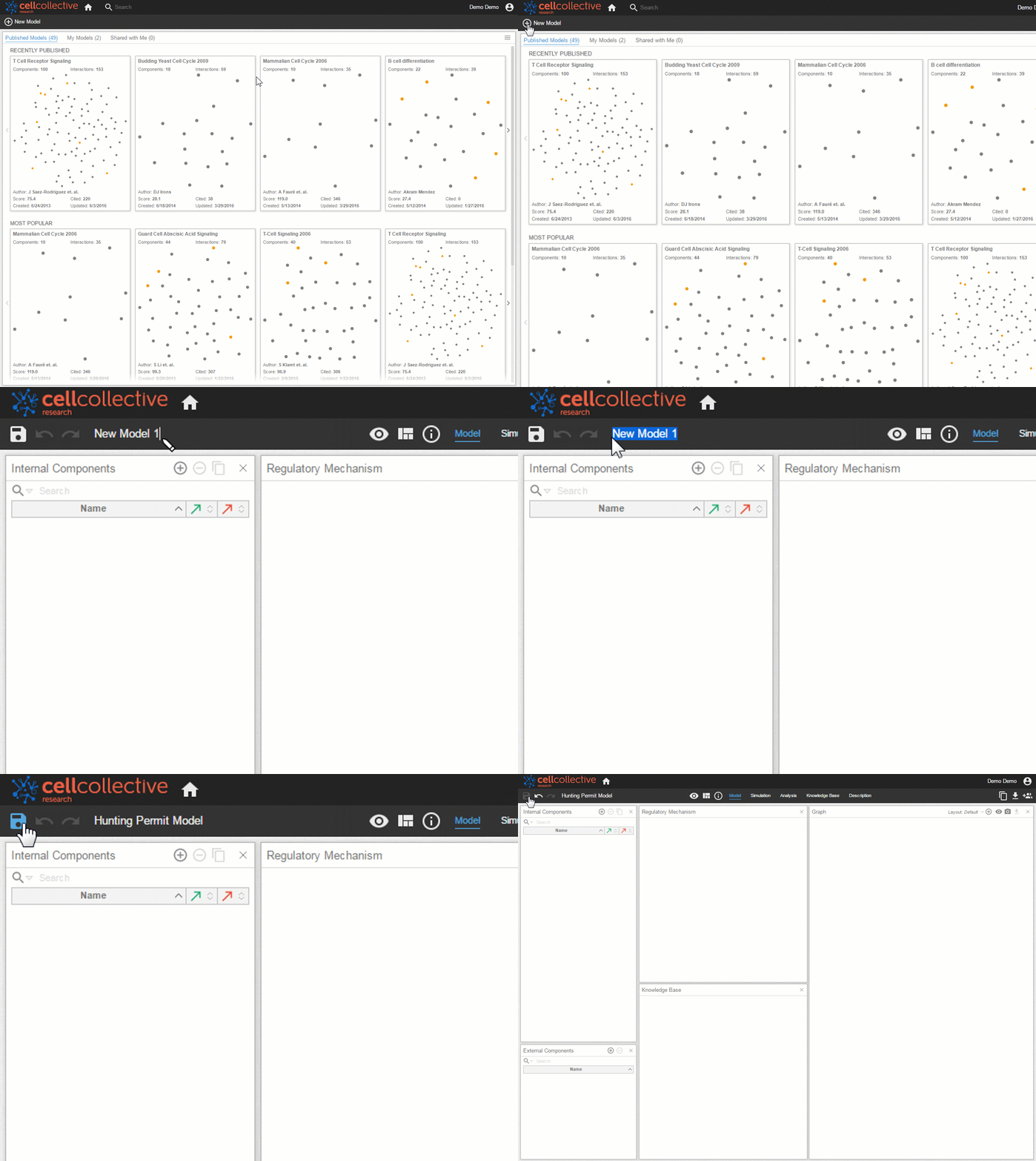

Congratulations - you have successfully created a new model and are ready to add components, define regulatory mechanisms, and much more!
Related Articles