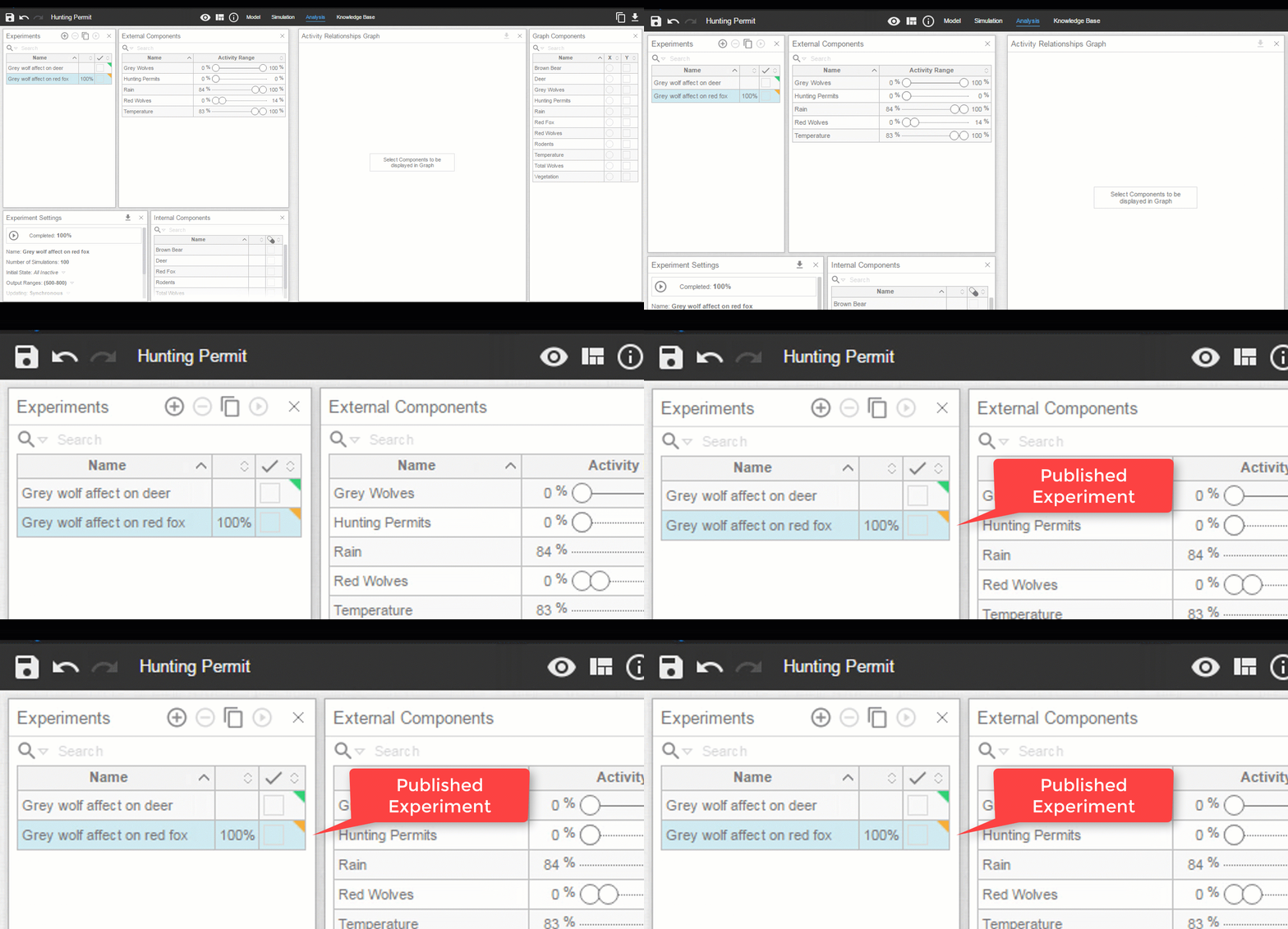
Publishing Experiments
Recreating experimental conditions can be time-consuming. To save time, the Publishing Experiments feature in Cell Collective allows preset experimental parameters to be made available for others to easily recreate. The feature may be used to demonstrate the ability of a particular model to reproduce known biological phenomenon as validation.
Here is how to get started
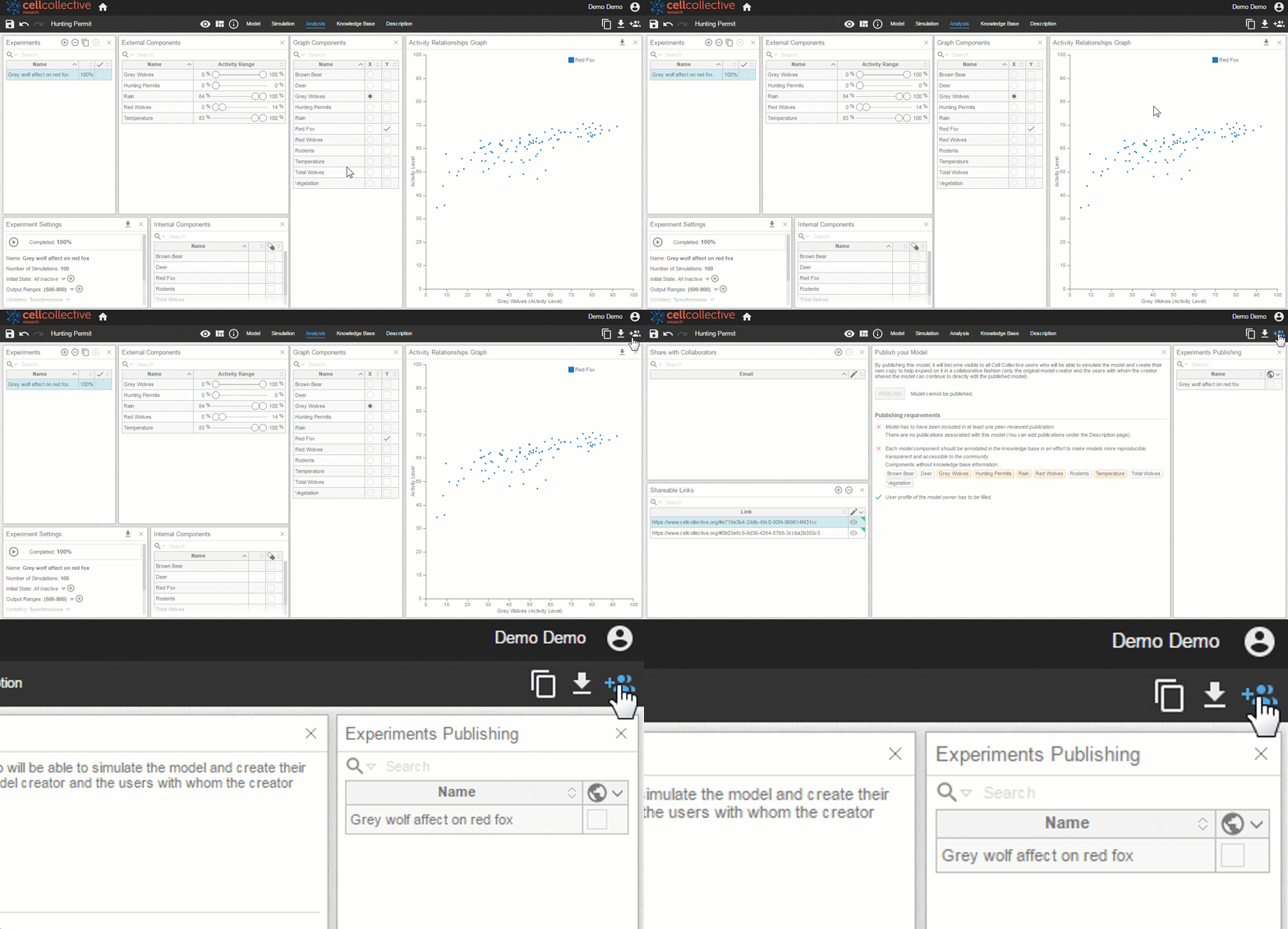
- As demonstrated in the tutorial, Analysis: Activity Relationships, create and save an analysis (activity relationship) experiment.
- Any saved experiments will automatically appear in the list Experiments Publishing under the Share page
3. Make the experiment publicly available by checking the box under 
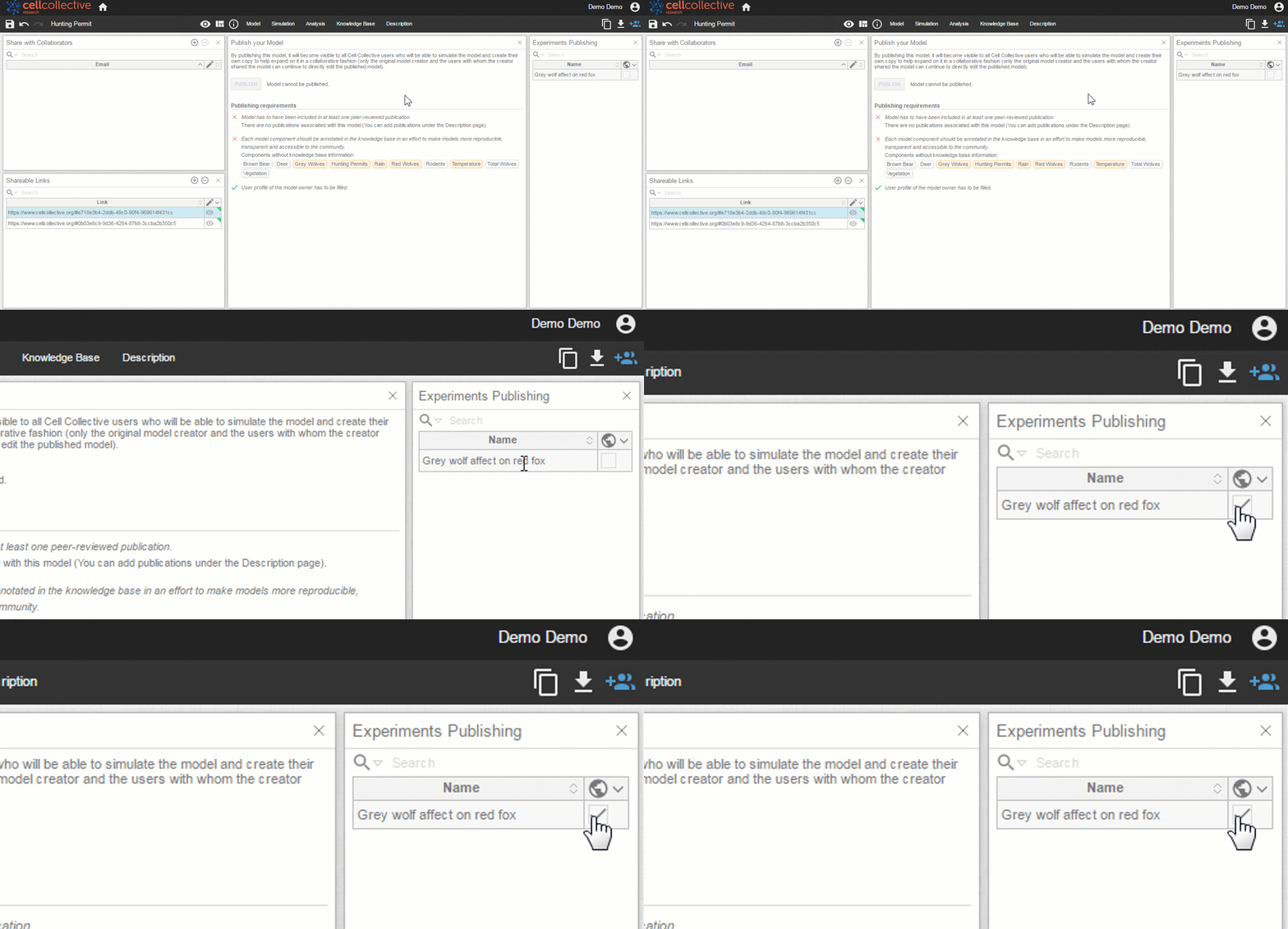
4. The recipient will see the published experiment under their Experiments panel of the Analysis page. Note the color change to orange for published experiments. Unpublished experiments are green