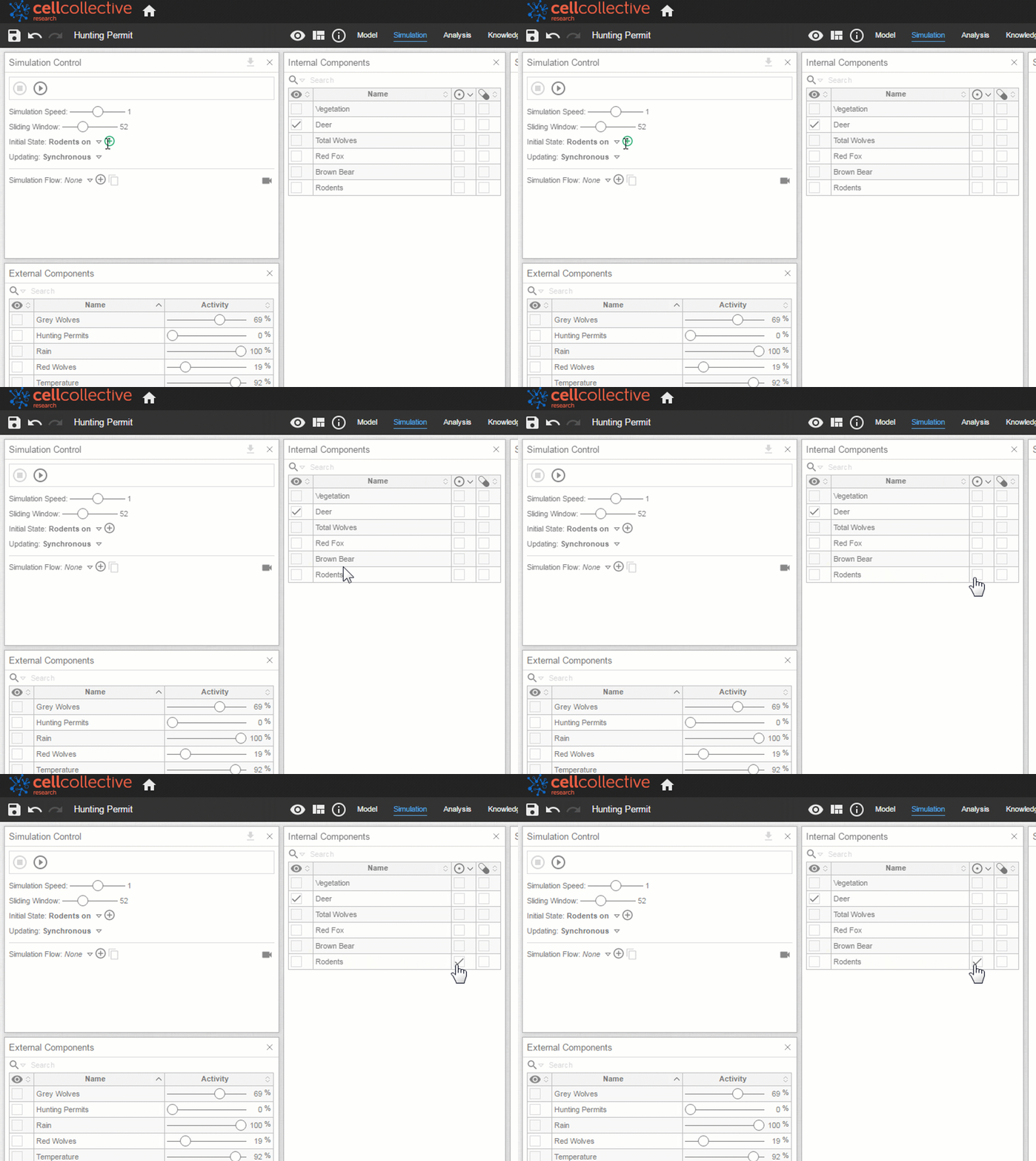
Initial States
The initial state refers to the activity level of the nodes at time zero (t=0). By default, the initial state of each internal component is zero (i.e. OFF). However, you may set the initial state of certain internal components as ON
Setting the Initial States in Analysis
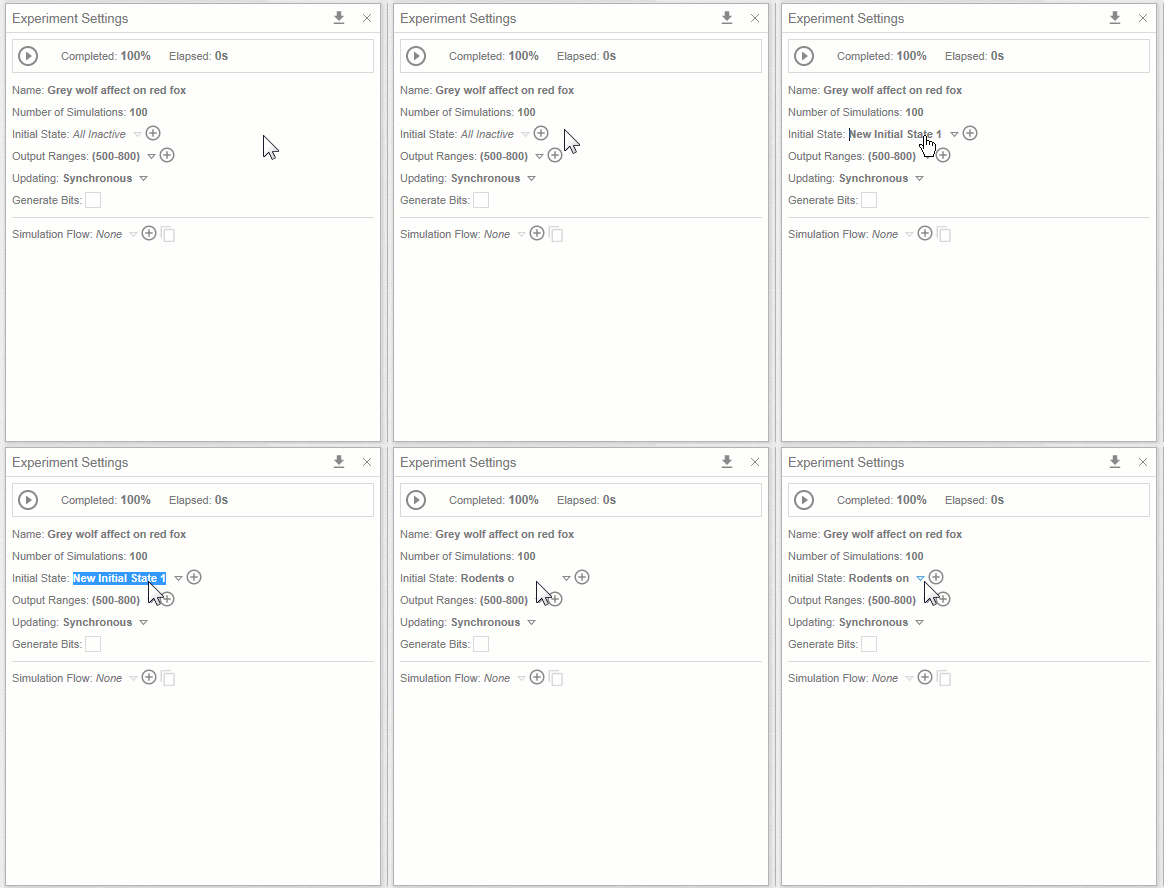
- From the Experiment Settings panel, click on
 next to Initial State to add a new initial state. You may rename the initial state by clicking on the form field
2. Once an initial state is created (or selected from the dropdown list, if previously created), the  icon is displaced in the Internal Components panel. Initial states are defined using the checkboxes
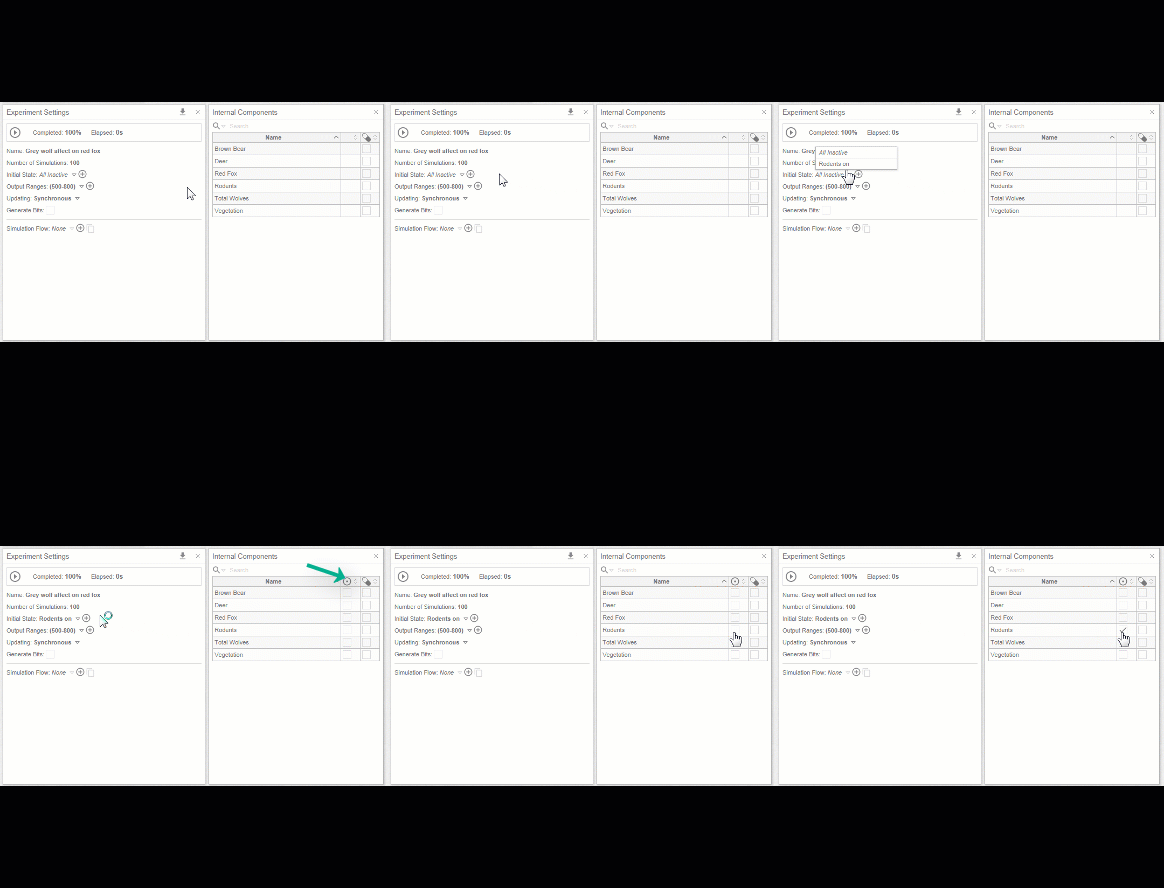
To remove an initial state, simply select “All Inactive” from the dropdown list
Real Time Initial States
- From the Simulation Control panel, click on next to Initial State to add a new initial state. You may rename the initial state by clicking on the form field:
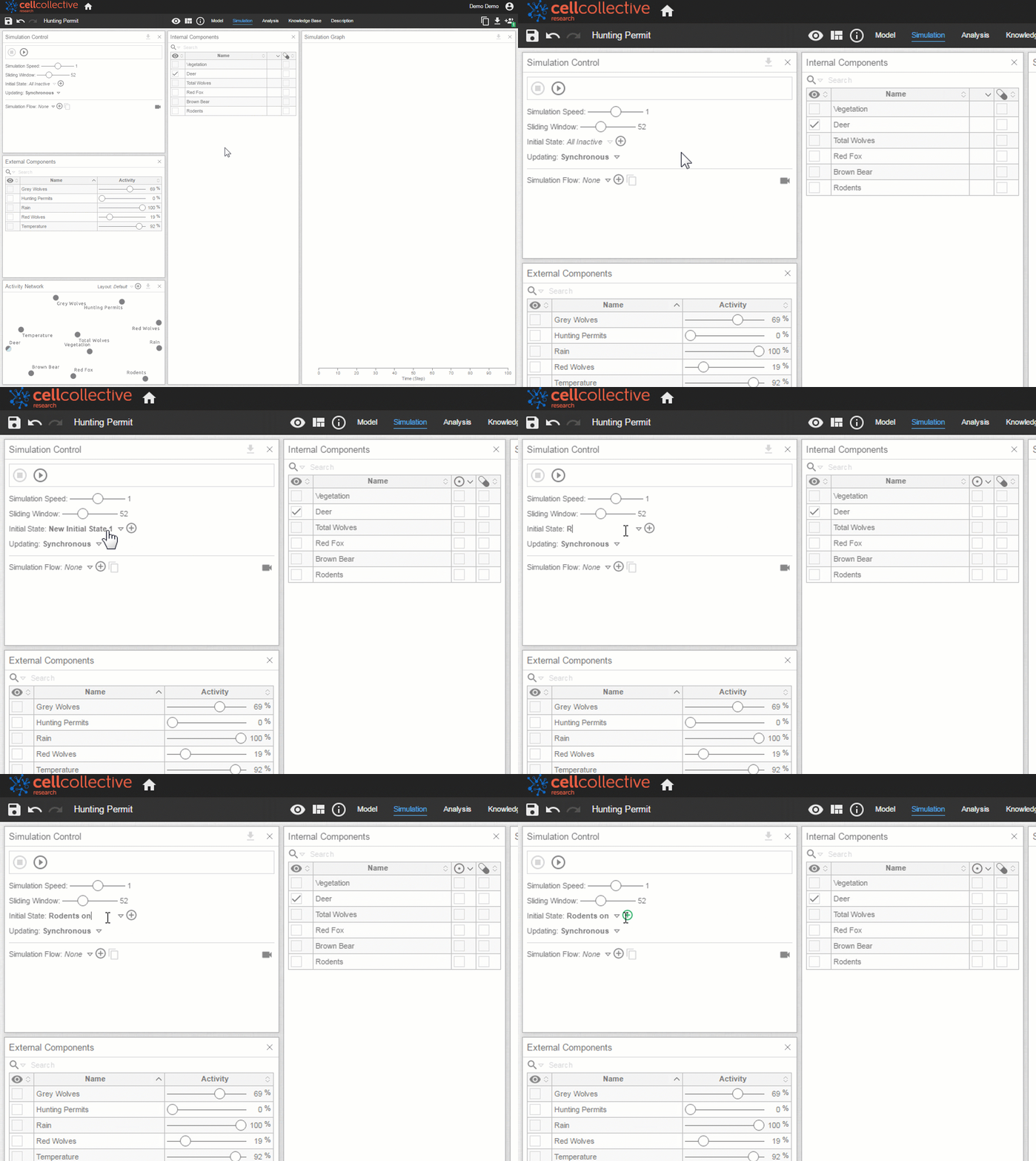
2. As previously, set the initial state using the checkbox under the icon